





Pulling out a coloring book and crayons, markers, or pencils is a core childhood experience. Coloring is known to be positive for mental health, and it's a fantastic way to keep little hands busy and little brains creating. Sometimes, though, it's not practical to pull all of those art supplies out, and that's when the best coloring book iPad apps can help.
The best coloring book iPad apps help kids take advantage of the digital space by offering kid-friendly art games, coloring pages, digital transformation tools, and themes designed to keep them engaged. They're a great choice for long car or airplane trips, or those slow moments while waiting for a sibling to finish after-school activities.
Below, you'll find a list of the best coloring book iPad apps available today for both you and your kids to enjoy.
What are coloring book iPad apps?
Coloring book iPad apps primarily offer digital coloring pages that can be colored in using either a finger or stylus, but they can include a wide variety of other features. Special brushes and effects, creative AI elements, specific themes, and seasonal events can all contribute to a unique experience for the user.
Best coloring book iPad apps
We’ve done a deep dive into the best coloring book iPad apps available on the app store. Features like variety and quality of coloring pages, AI capabilities, color palette options, ease of use for different ages, price transparency, and the overall experience for kids and adults made the difference in how we ranked these coloring apps. Apps that offered an ad-free or easy-to-use experience ranked higher, as did those with consistent content updates and meaningful tools to help kids practice creativity.
1.Aqua by Adobe
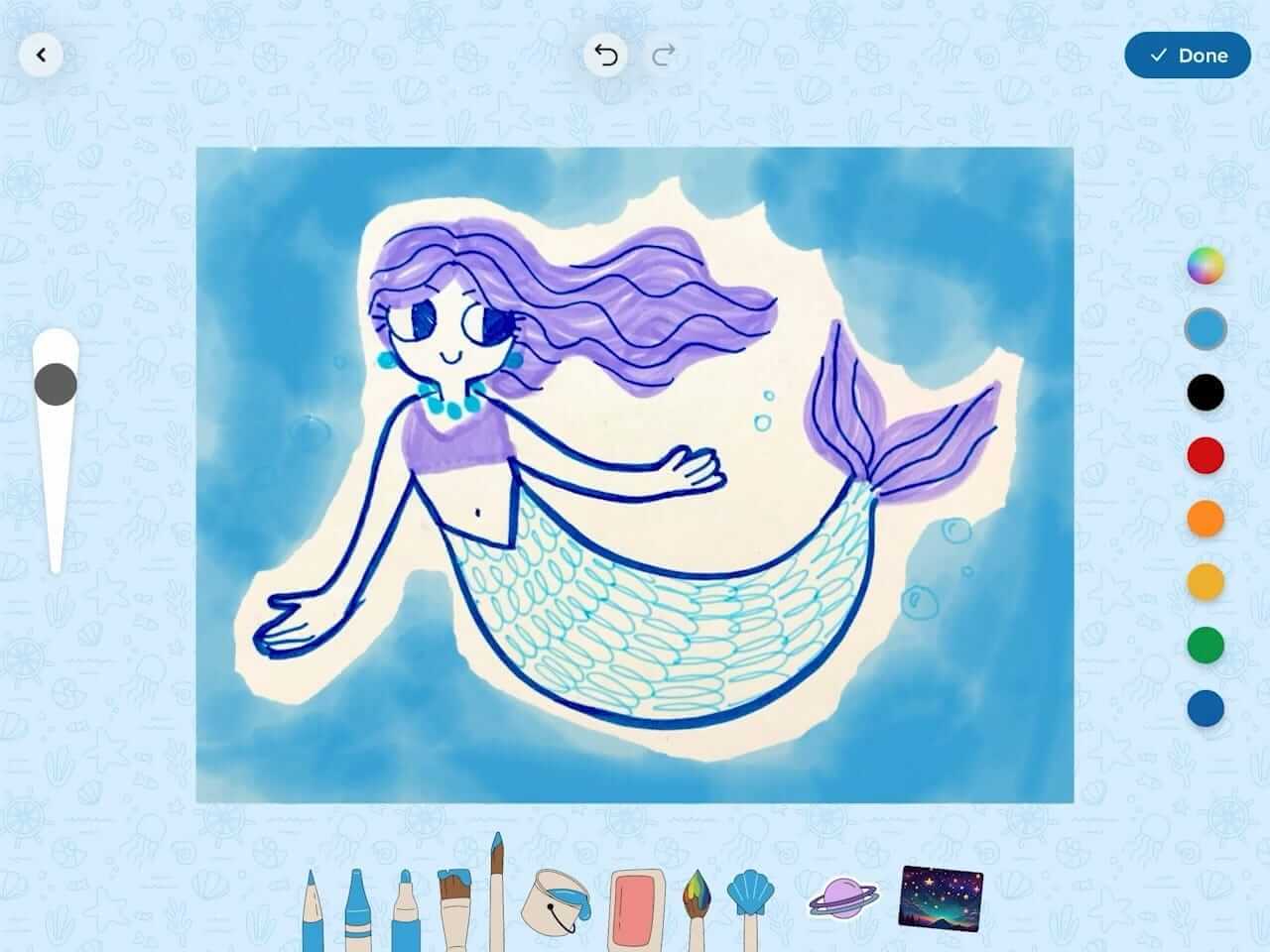
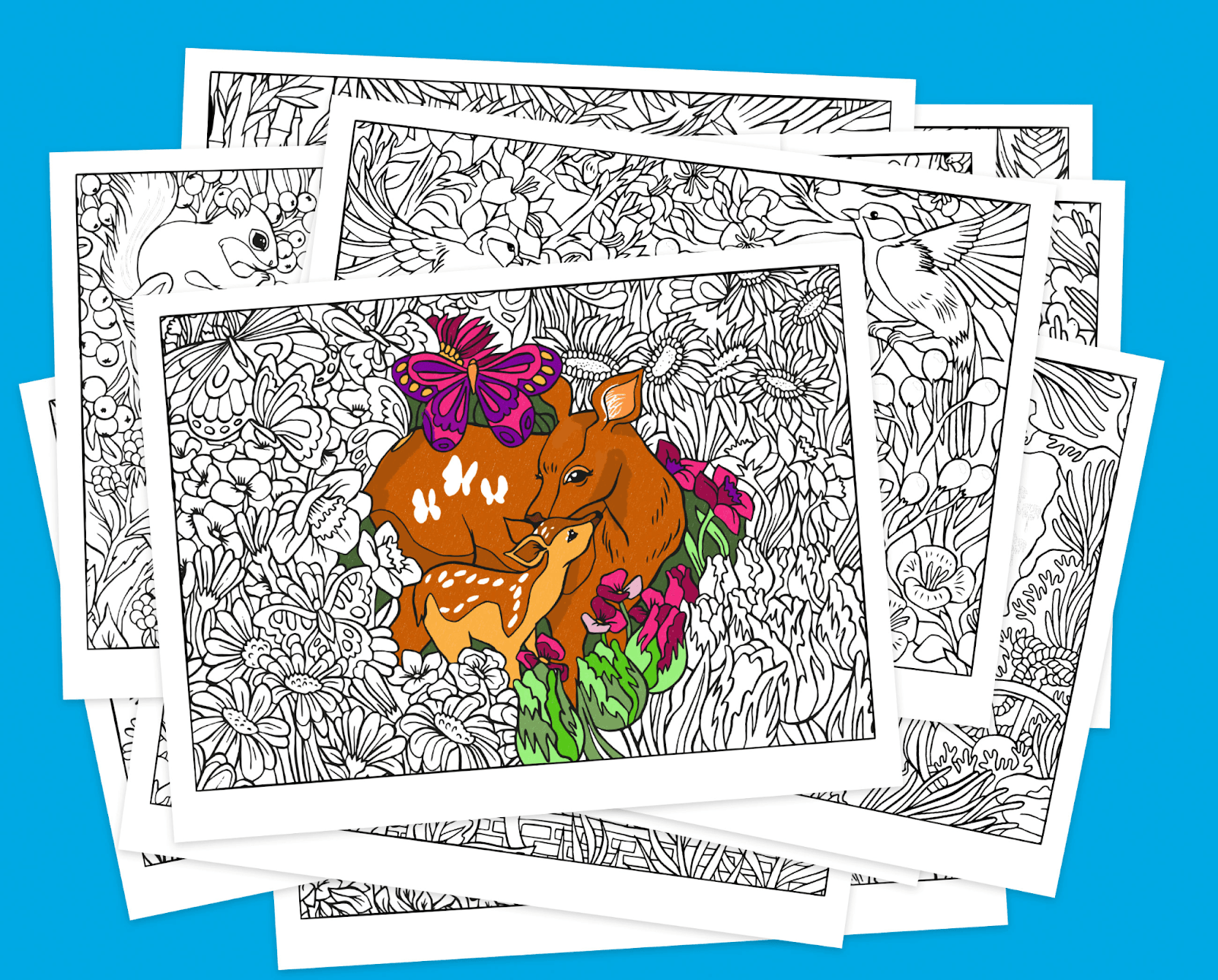
Project Aqua is an art and education app built with kids in mind. At its core is a coloring experience designed for a wide range of skill levels and interests. Kids can choose from drawing tutorials, coloring pages for all, or even start with a simple blank page to create their own art. A wide variety of brushes, palettes, and digital art tools give kids real creative control, while pass-and-play coloring games make it a social experience too.
What sets Aqua apart is how it handles finished artwork. AI tools can transform completed pieces into new art styles, 3D renders, or augmented reality experiences, giving kids a way to see their work come to life beyond the canvas. An in-app Museum lets them archive and display everything they create, and physical artwork is part of the fun there, too. Kids can upload hand-drawn pages directly into the app, where they sit alongside their digital creations in one epic gallery.
Available on: App Store
Features:
- AI tools transform physical and digital art
- Themed art choices are designed for kids 5–12
- Interactive games engage multiple players
- In-app Museum to display and celebrate finished artwork
Pros:
- Completely ad-free with no upsells, which keeps kids focused on creativity
- Design challenges and tutorials can help kids improve their art skills over time
- Kid-friendly themed coloring pages are easy to find
Cons:
- The app is geared more toward younger artists, so older children may be less engaged
- AI “Add Magic” button requires in-app shells, which are earned through creative engagement
Cost: Completely free
2.Procreate
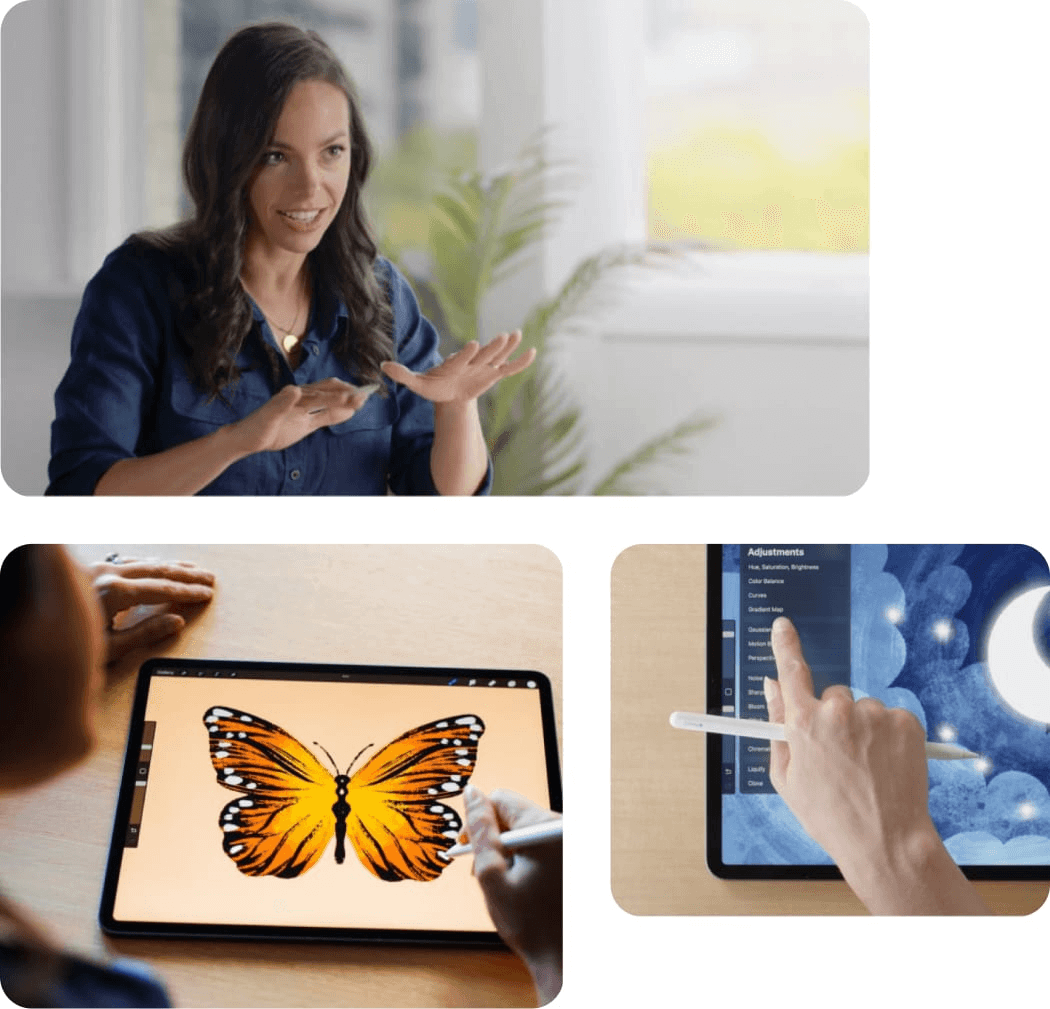
Procreate is a platform for creating digital art with your finger or Apple Pencil. You can begin from a blank page to create your own art using many different brushes and tools. Once your artwork is complete, Procreate has a timelapse tool that animates your process as you created your piece. Various editing tools help you trim, tighten, or polish your work, and you can export the final product for use on other platforms.
Available on: App store
Features:
- Create with tools like brushes, gestures, and colors
- Edit using tools to transform, select, and adjust your work
- Learn new techniques from in-app lessons
Pros:
- Use the app on iPad and iPhone
- Take courses geared toward beginners or for the classroom
- Explore your hand drawing creativity in a digital tool
Cons:
- Requires an Apple Pencil to get the most out of the app
- Must buy the app twice if you want it on iPhone and iPad
- The app is geared toward older artists and may be too complicated for younger creators.
Cost: $12.99
3.Pigment
Pigment is a coloring app that comes with access to a library of coloring pages. Brushes and pigments help users color their own unique drawings, and tools like “fill” can make coloring in the lines accessible for all levels. Color with a stylus like the Apple Pencil or with your fingers in this subscription-based app.
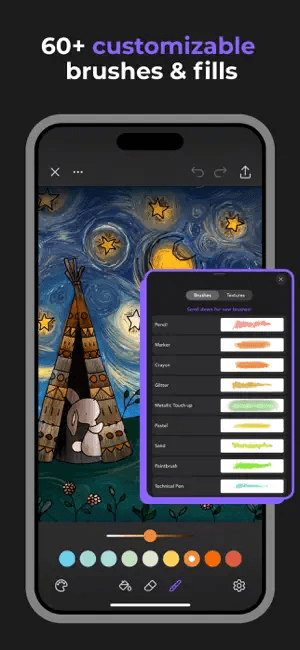
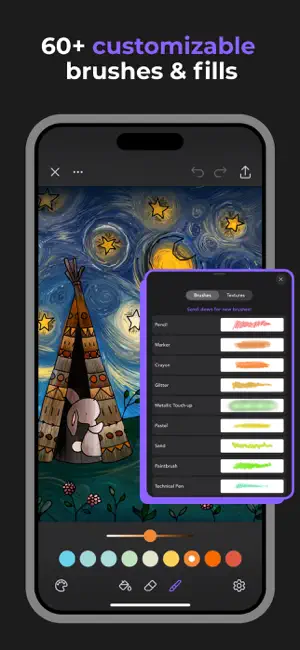
[Alt text: An image inspired by van Gogh’s Starry Night is shown with in-app coloring tools selected. File name: Pigment_platform. [Source]]
Available on: App store
Features:
- 10,000+ coloring pages to choose from
- Variety of brushes and tools to create unique images
- Tap-to-fill mode can mimic paint-by-number with no restrictions
Pros:
- Users can choose from Apple Pencil or other styluses
- Coloring pages provide a form to work within for newer artists
Cons:
- Access requires a subscription
- Coloring pages may limit some users
Cost:
- $4.99/week
- $9.99/month
- $59.99/year
4.Lake

Lake offers unique drawings for users to color. Some pages are arranged by coloring books, giving users a group of images to explore. The app emphasizes coloring as a mindfulness exercise, so it also provides a coloring journal prompt to record information like mood and thoughts for the day.

Available on: App store
Features:
- Relaxing sounds that play while you color
- Daily color journaling prompts you can fill out
- Open or closed lines mode so you can color as neatly or wildly as you like
Pros:
- Team of artists draws the coloring pages
- Tutorials help you learn the capabilities of the app
Cons:
- Offers a limited number of coloring pages compared to other apps
- Pushes subscription access upfront, making it difficult to find the basic version
Cost:
- Free for basic access
- $9.99/month
- $39.99/year
5.Tayasui Color
Tayasui Color features the drawings of artist Olivia De Bona in a collection of coloring pages. The app includes background soundscapes to play as you color as well as sound effects for the tools you choose. Textured gold and silver options let users highlight elements of their finished drawing or build artwork around a metallic theme.
Tayasui Color features a curated collection of coloring pages by artist Olivia De Bona, giving the app a distinctive aesthetic. The app includes background soundscapes to play as you color as well as sound effects for the tools you choose. Textured gold and silver highlight options add a unique finishing touch not commonly found in other apps, allowing users to highlight elements of their finished drawings or built artwork around a metallic theme.
Available on: App store
Features:
- A curated collection of images from a single featured artist
- A set of tools like brush, dropper, and fill
- A soundscape to play as you color
Pros:
- Color palette can mix any color
- Cohesive artistic style gives the app a premium feel
- Smart borders help you stay in the lines
Cons:
- Limited set of drawings
- Limited set of tools
Cost: $7.99
6.Chroma
Chroma is a coloring book app that includes extra features like animation and user-created coloring pages. Use different brush tools and color palettes to draw from the large selection of coloring pages. Split styles lets users choose two different themes for a single image and experiment with different color palettes and styles.
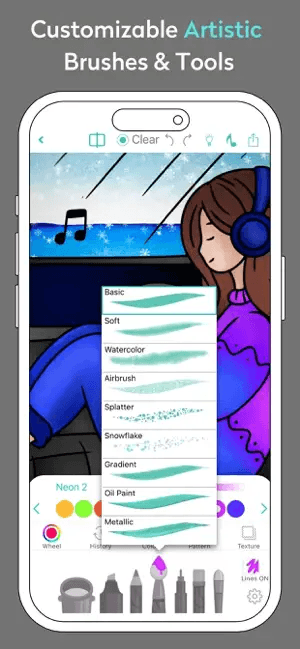
Available on: App store
Features:
- Animate finished coloring pages with prompts
- Color with friends using Buddy Coloring
- Choose coloring pages according to skill level, from beginner to advanced
Pros:
- Library includes thousands of pages
- Photo/Sketch to Coloring Page creates coloring pages from your own images
Cons:
- Some elements may be too advanced for young users
- Some tools may cost additional micro-fees
Cost:
- Free basic access
- $2.99/week
- $5.99/month
- $29.99/Year
7.Colorfy

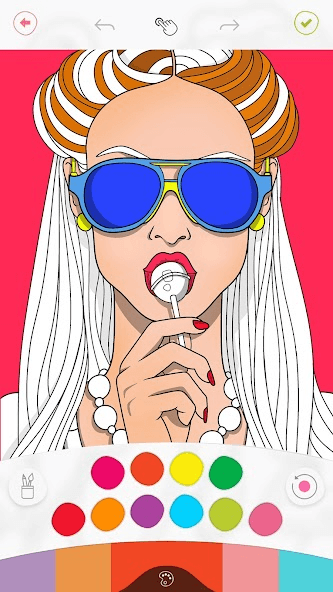
Colorfy is a coloring book app that emphasizes the relaxing elements of coloring. They incorporate simpler and more complex designs into their coloring pages and have a coloring community within the app. A collection of colors and brush tools are available for users to create their own unique artwork.
Available on: App store and Google Play
Features:
- Artist community
- Simple and complex drawings
- Themed event pages
Pros:
- Simplified coloring tools and palette make coloring easy
- Large library of pages means users can find a design they’ll enjoy
Cons:
- Subscription price may be too high for some users
- App elements may be too basic for some users
Cost:
- Basic: Free
- Premium: $9.99/week
8.Color Pop
Color Pop has a collection of drawings for users to color. Tools like airbrushes, pencils, and the standard line-up of pen tools give users the ability to create a style and look they prefer in their drawings. Background fill options include textures and gradients, and AI tools are available for users to create new coloring pages.

Available on: App store and Google Play
Features:
- AI tools can create coloring pages from uploaded images
- Tap-to-color and in-line coloring options offer a more creative paint-by-number experience
- Shine tools let users add unique effects to their pages
Pros:
- Infinite page options are available due to AI page creation elements
- Page themes and styles can be searched within the app
Cons:
- AI elements are only included with paid subscription
- Color palette may be limited with the free tier
Cost:
- Free for basic access
- $7.99/week
9.InColor
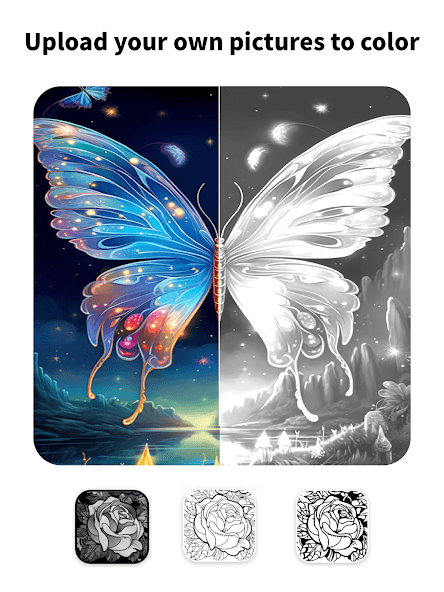
InColor is a coloring book app that features AI tools as its main focus. Users can create coloring pages from prompts, doodles, and photos using AI and then color them with the tools and palettes available. Themed and seasonal event pages offer users new content over time. This app is optimized for the larger iPad screen.
Available on: App store and Google Play
Features:
- AI tools can take user generated art and text and create coloring pages
- Freehand drawing allows users to create their own hand drawn images
- Artists can apply to submit their own artwork to the app for users to color
Pros:
- New coloring pages are released frequently
- User created content can be generated and colored
Cons:
- Users who want a free option may find much of this content is reserved for premium
- Some pages may not be optimized for tap-to-fill style coloring
Cost:
- Free for basic access
- $7.99/week
- $59.99/year
10.Marvel Color Your Own
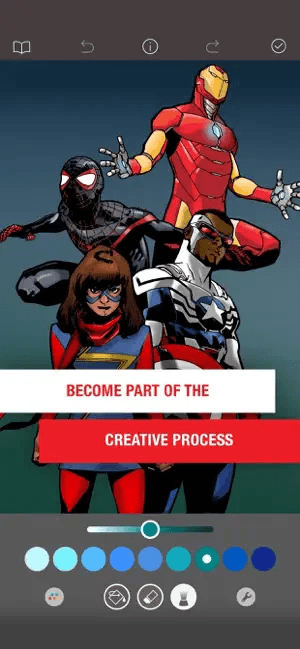
Marvel Color Your Own is an app that features the Marvel universe. Characters like Spiderman, The Hulk, and Captain America appear within coloring pages, and the catalog expands weekly. Some brushes and effects are designed specifically to mimic the bold, graphic style of comic book art, and finished pages can be printed. It's one of the more affordable subscription options on this list, though the content stays squarely within the Marvel universe.
Available on: App store
Features:
- Comic book characters and scenes
- Exclusive brushes and curated palettes
- Weekly updates
Pros:
- Subscription cost is lower than some platforms
- Fans of comics can enjoy some of their favorite characters
- Artwork is printable
Cons:
- Content is limited to Marvel Universe themes and characters
- Users cannot create or add their own drawings
Cost:
- Free for basic access
- $3.99/week
- $5.99/month
11.Recolor
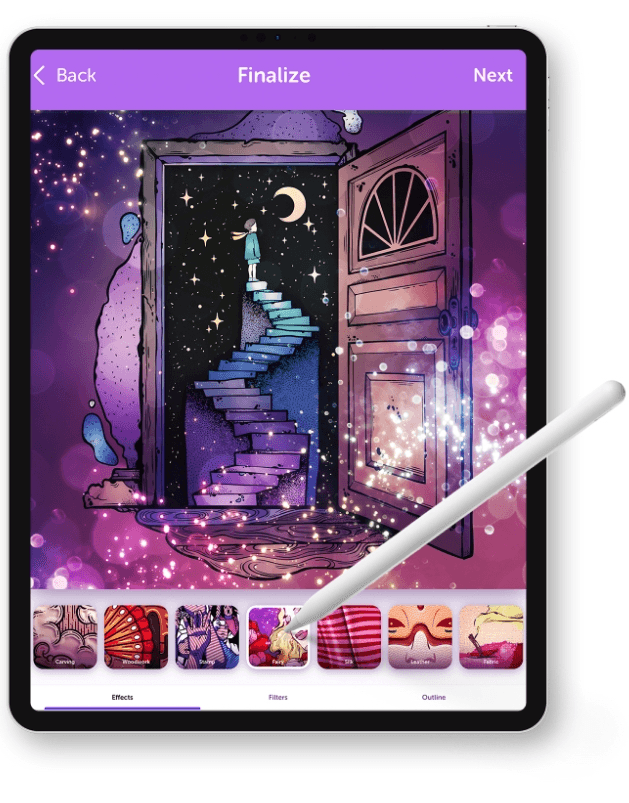
Recolor features coloring pages designed for all ages. Users can import their own sketches, drawings, and images to color within the app. A collection of color palettes is available, or users can customize their own colors. Effects, outlines, and filters offer ways to finish coloring pages in unique ways.
Available on: App store and Google Play
Features:
- Three new free coloring pages per day
- Events and challenges
- Regular new content
Pros:
- Effects and filters can create highly unique images
- Large library of content is available for users
Cons:
- Classed only for 13+ on the app store
- Lacks a blank-page drawing option
Cost:
- Free for basic access
- $29.99/month
Traditional vs. digital drawing: Experience and benefits
With traditional drawing, you get the irreplaceable pen/pastel/marker/paint to blank page experience, and that’s a wonderful creative space to be in. But each of those tools comes with a price tag and a storage need, making it difficult to help your children explore a full range of creativity.
With digital drawing, the sky’s the limit. Color endless numbers of pages, doodle on a never-ending supply of digital paper, and mix colors to your heart’s content. Your kids can develop creative skills while engaging in play and learning new technology. With zoom and magnification options lending further accessibility, even kids with visual impairments can enjoy creating art.
That said, digital and traditional art don't have to be either/or. Several apps on this list allow kids to upload their hand-drawn sketches and continue working on them digitally, which gives them the best of both worlds.
Find your perfect coloring book iPad experience
From the first careful stroke to the final burst of color, coloring is about so much more than filling in a page. It's about creativity, confidence, and self-expression.
Every kid is different: some take their time choosing each color carefully, mixing shades to get just the right one, while others dive in with the nearest crayon and happily scribble outside the lines. No matter how much care or chaos goes into the process, it all leads to that proud, exciting moment when they can call their artwork finished and show it off.
That same sense of creativity and accomplishment can carry over into the digital world. With so many digital coloring options available, there’s something to match every child’s style and personality. The best coloring book iPad experience is ultimately the one that nurtures their imagination, supports their learning, and makes creating feel just as magical as it does on paper.
With Adobe Aqua, education, play, and creativity work hand in hand to engage your child’s brain and keep their hands moving. They can island-hop through special themes within the app. Coloring Coast provides pages for them to color and then transform before archiving their art in the in-app Museum. 1-2-3 Pass offers a unique coloring game that they can play with their siblings and friends.
Adobe Aqua goes beyond simple screen time, creating an interactive, imaginative space where kids can learn, create, and connect, growing their curiosity with every tap and swipe.
Download Adobe Aqua today to help your kids explore their creativity in the digital space.
Coloring book iPad FAQs
Is there a coloring book app for iPad?
Yes, there are many available to choose from that offer a wide variety of user experiences. AI elements are available in many apps, and others feature specific artists and creators. Many include community sharing elements and offer unique palettes or themes.
Parents should be aware that some apps are classed for users of a certain age like 12+ or 13+. These apps should be used with supervision by kids, or parents can choose to offer alternate apps designed for kids.
What’s the best coloring book app?
The best app depends on your child's age, interests, and how they like to create. For younger kids who are new to digital art, a free, structured app with kid-friendly themes is usually the best starting point. For older or more experienced artists, apps with larger libraries and more advanced tools will hold their attention longer.
Adobe Aqua brings those elements together in one interactive experience. Whether it’s freeform doodling, imaginative art games, or customizable coloring pages, the app offers a variety of ways to create and play. With a blend of education and creativity, Adobe Aqua delivers a free digital coloring experience designed to keep young artists inspired.
What app can I use to create a coloring book?
Many apps offer the option to upload doodles, sketches, and pictures that are then transformed into coloring pages within the platform. Adobe Aqua takes that a step further and uses the AI “Magic” tool to create 3D images based on the art your kids create. They can then use brush tools, colors, and effects to add their own creative flair to the artwork.
Alternatively, you can create a physical coloring book with free printable coloring pages from Adobe Aqua. With a variety of themes, creatures, and styles to choose from, you can create a book you know your kid will love.
If you're looking for a well-rounded starting point (especially for younger kids or newbie artists), Aqua by Adobe offers a no-cost, ad-free experience that balances creativity, learning, and play in one place. Download it today and see what your kids create!